
Sacco is core banking for SACCOs on Apache Fineract, and Sacco Field, the tablet your field officers carry. Routes, group meetings, cash and M-Pesa collection and member files, built to keep working without a signal and to land in the one ledger the branch runs.

The branch keeps the books. The field officer meets the members. Sacco gives each of them their own screen, and one set of accounts behind both.
 The branch overview, with sample data.
Deployed
The branch overview, with sample data.
Deployed
Core banking on Apache Fineract for SACCOs, MFIs and community-finance organisations. The back office the branch already runs.
 In development
A tablet app for the field officer, built for a market with no signal. Everything is saved on the tablet first and sent when it can be.
What the officer collects at 10:15 goes to the branch ledger when the tablet next has a signal — and nothing on the tablet says Posted before the ledger has confirmed it.
Every screen below is the app itself on a tablet, running its labelled demo dataset: Alice Wanjiru's Kiambu route and the Umoja Self-Help Group. The names and amounts are that sample data.
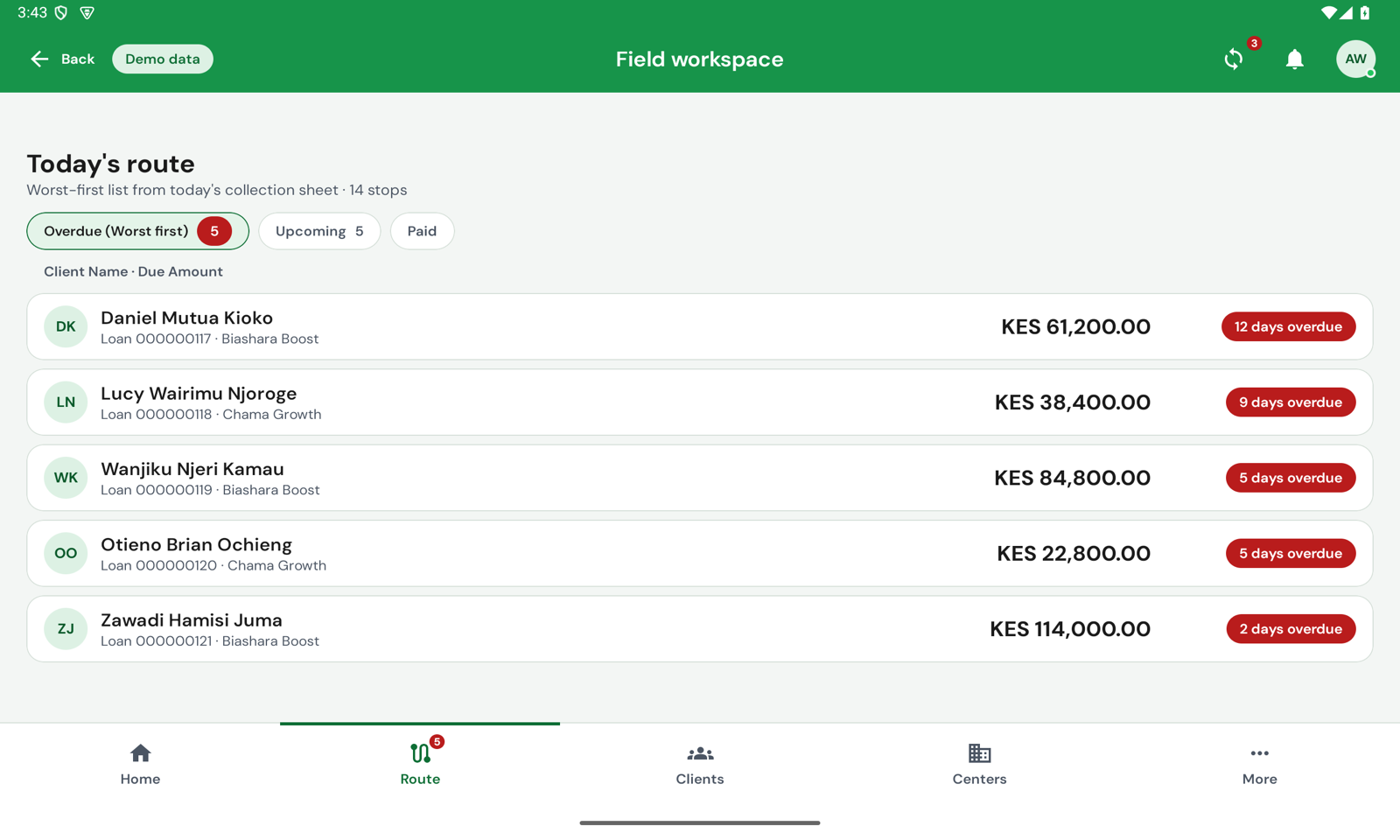
Fourteen stops from the collection sheet, split into overdue, upcoming and paid. The member twelve days behind is at the top, not the one nearest the branch. Tap a stop and it opens beside the list, so the rest of the day never leaves the screen.
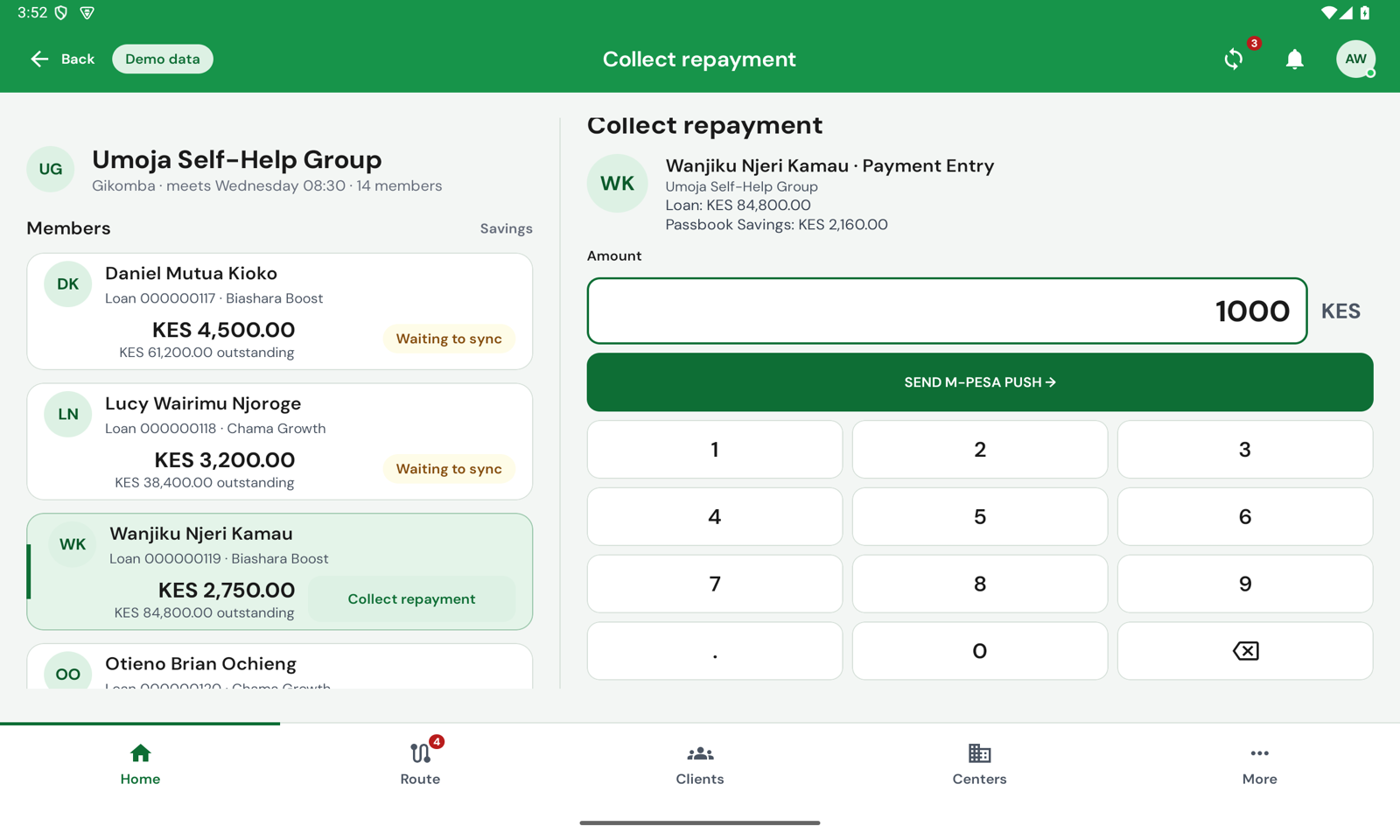
Umoja meets at Gikomba. Each row shows what the member still owes today and their outstanding balance; a long-press marks them present, absent or late. Tap Collect repayment and a pane opens with its own keypad, and the send button sits just above the keys.
A member who has paid half today owes the rest, not the whole — so the row says the rest.


Evidence, amount and channel, confirm. The officer carries the cash; the tablet records who paid, how much, where and when. Payment Successful appears only once the ledger has taken it and the tablet has read it back — and the receipt can be shared from the same dialog.


An STK push is a request the member has to accept on their own phone. So the tablet says PUSH SENT! and Awaiting client confirmation, and the member's row stays Waiting to sync until M-Pesa answers. Open that loan again from anywhere — the route, the picker, the loan page — and the tablet shows the prompt already on the phone instead of inviting a second one.


Client info, accounts, identification, charges, guarantors, next of kin, collateral and a pinpoint of where the business is. From a loan, Pay full amount opens the collect pane on the loan's total outstanding, with the member's M-Pesa number already filled in.
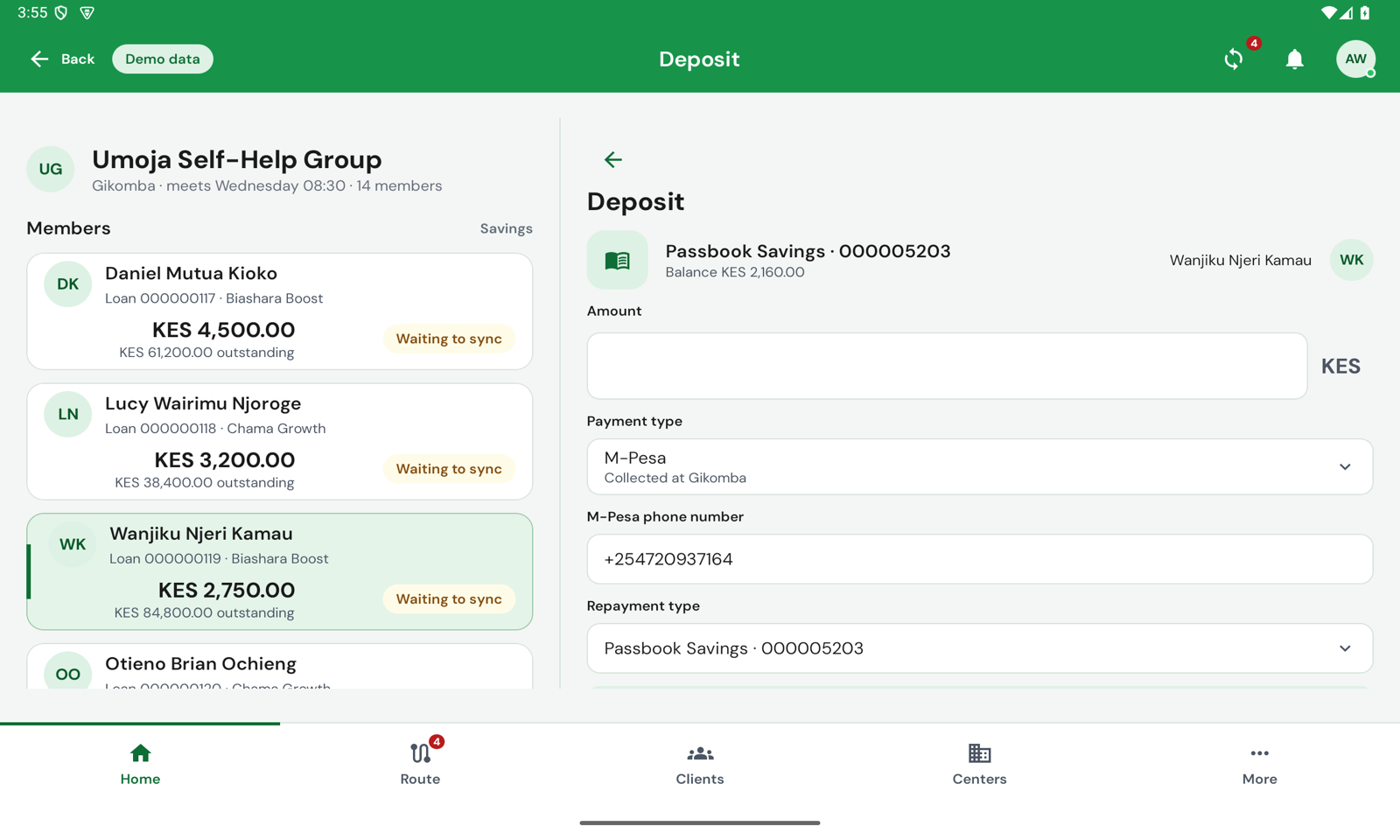
From the meeting's + button: Deposit, then the member. The pane names the savings account and its balance, and the new balance is read back from the ledger after the deposit posts. An account the branch has not activated yet says so, and takes no amount.
Money out is always a withdrawal request the branch approves. The tablet never pays out.
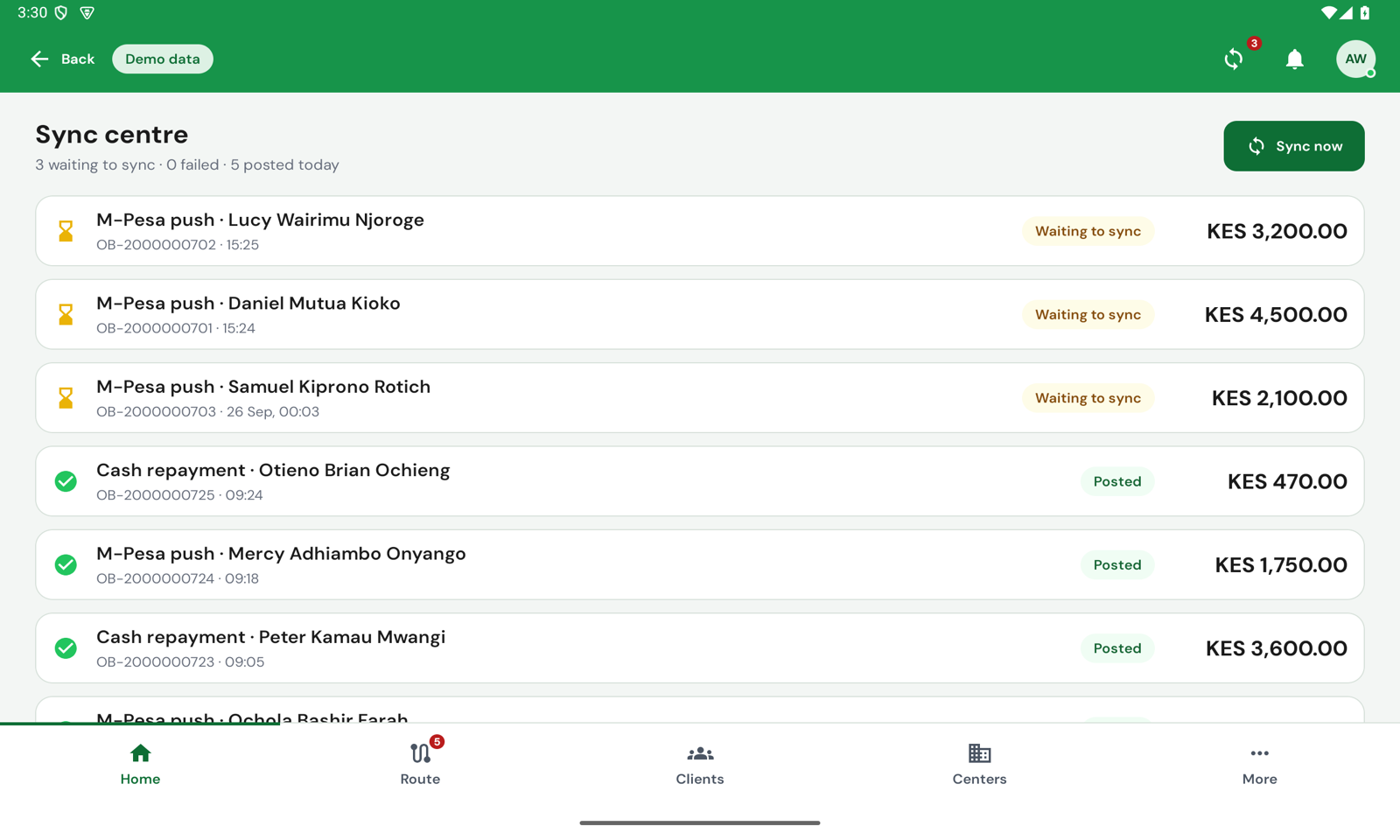
The Sync centre lists everything the tablet holds: what failed first, with the server's own reason, then what is waiting, then what is done, kept for thirty days. Sync runs by itself every fifteen minutes and whenever the connection returns; Sync now sends it straight away.
A field app that says paid when it means sent teaches officers to tell members something the ledger will contradict tomorrow. Sacco Field has four words for where money is, and uses no others.
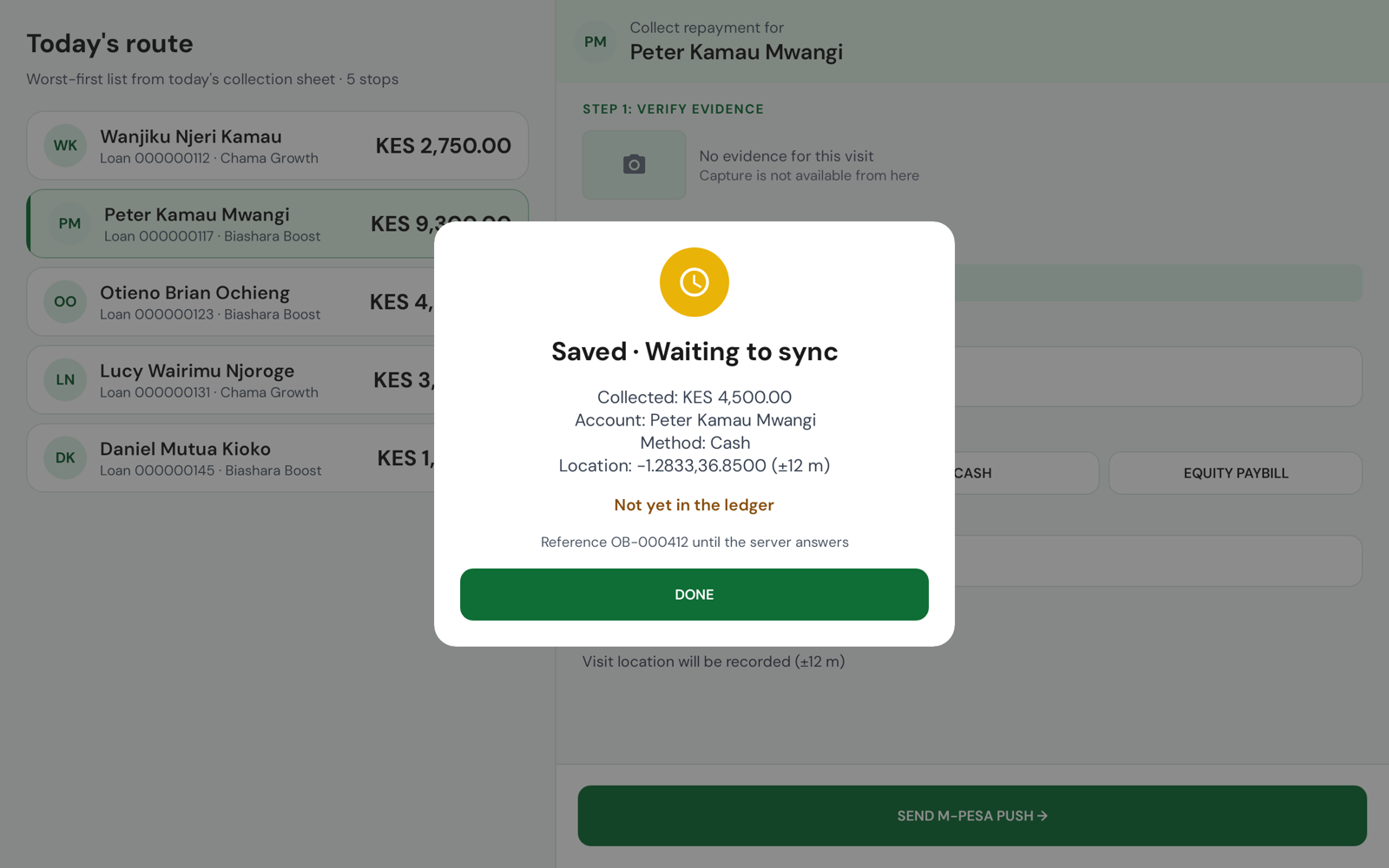
On the tablet, with a reference, and plainly not yet in the ledger.
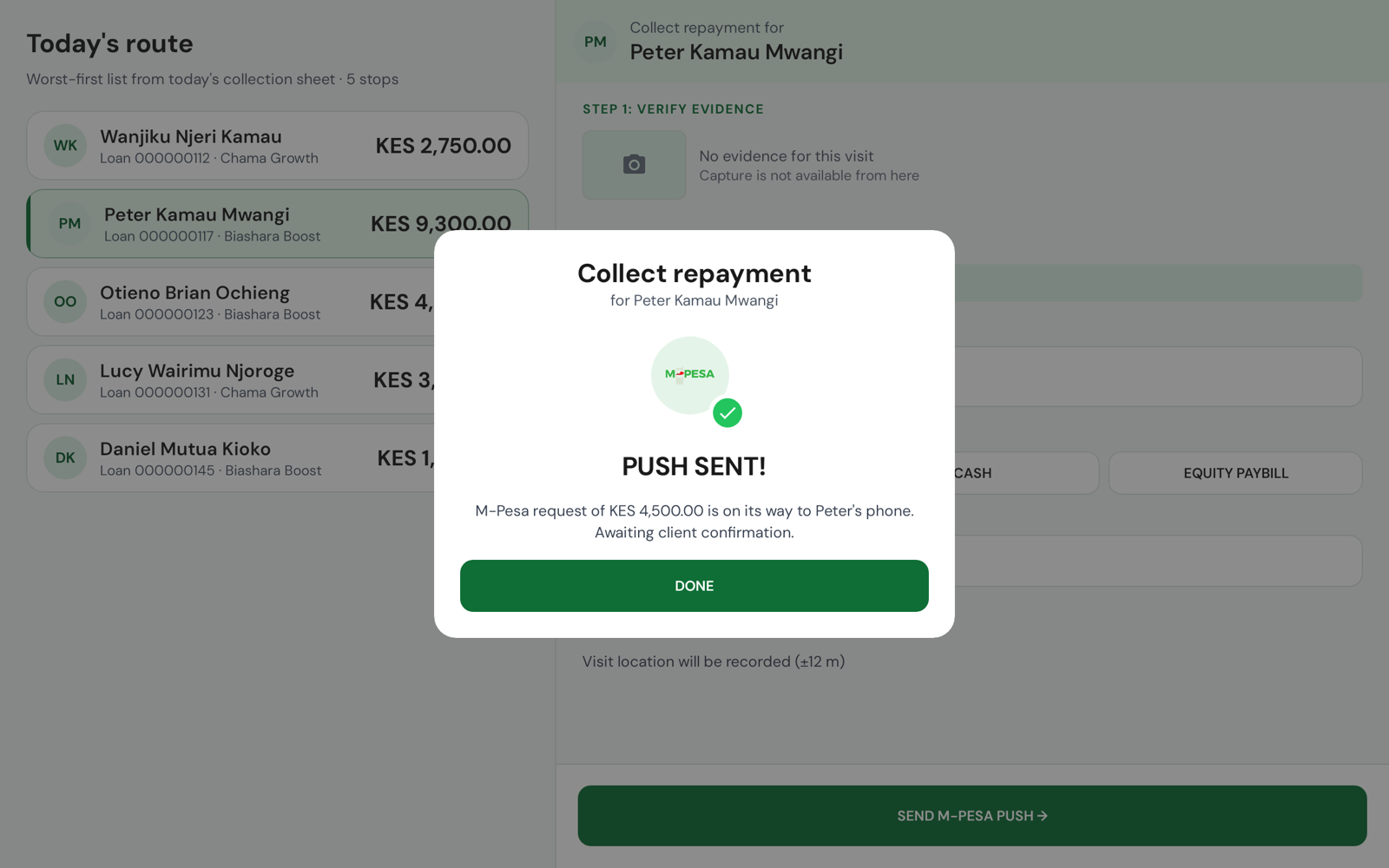
A request on the member's phone. Nothing is collected until they accept it.
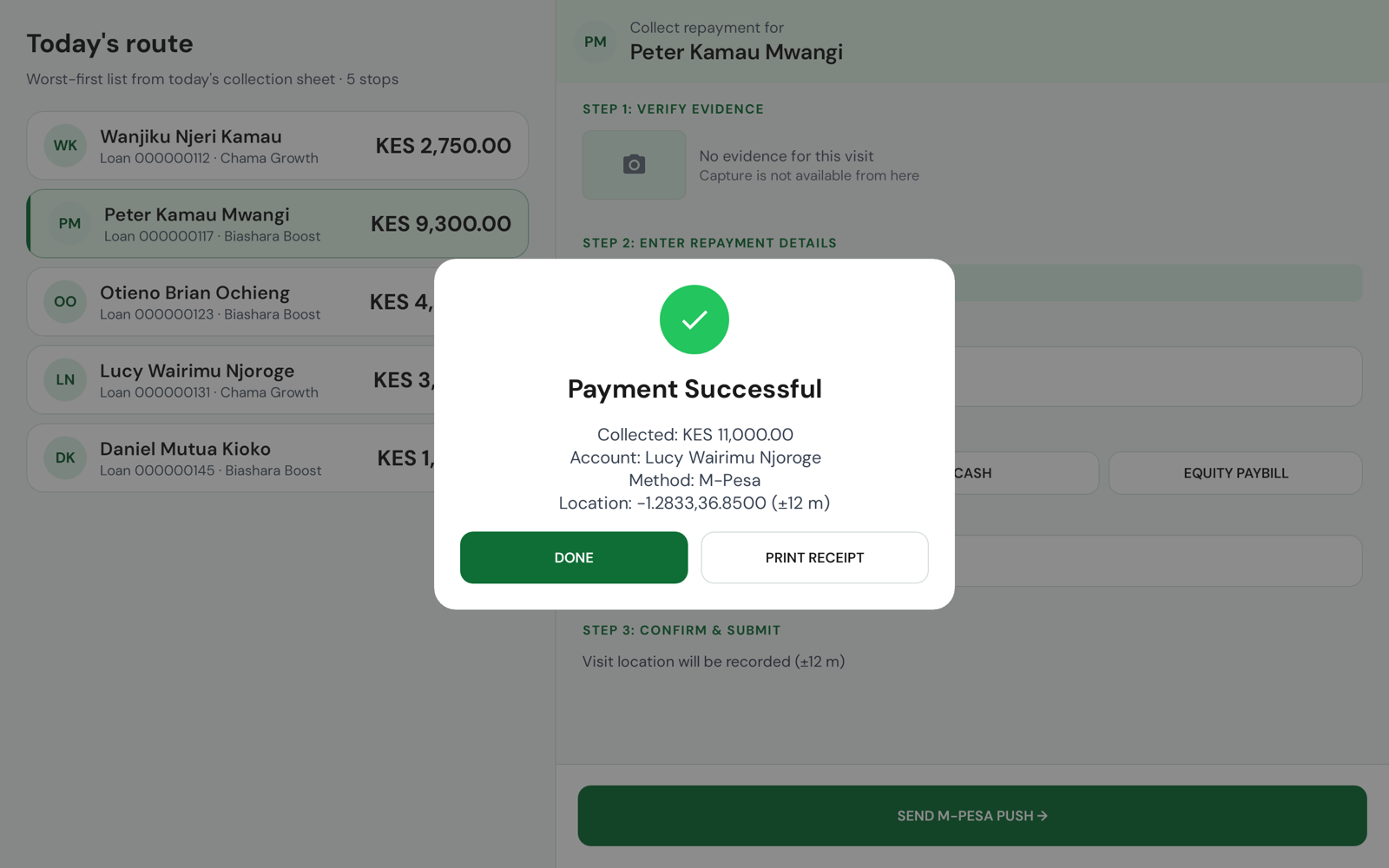
Only after the server has taken it and the tablet has read it back.
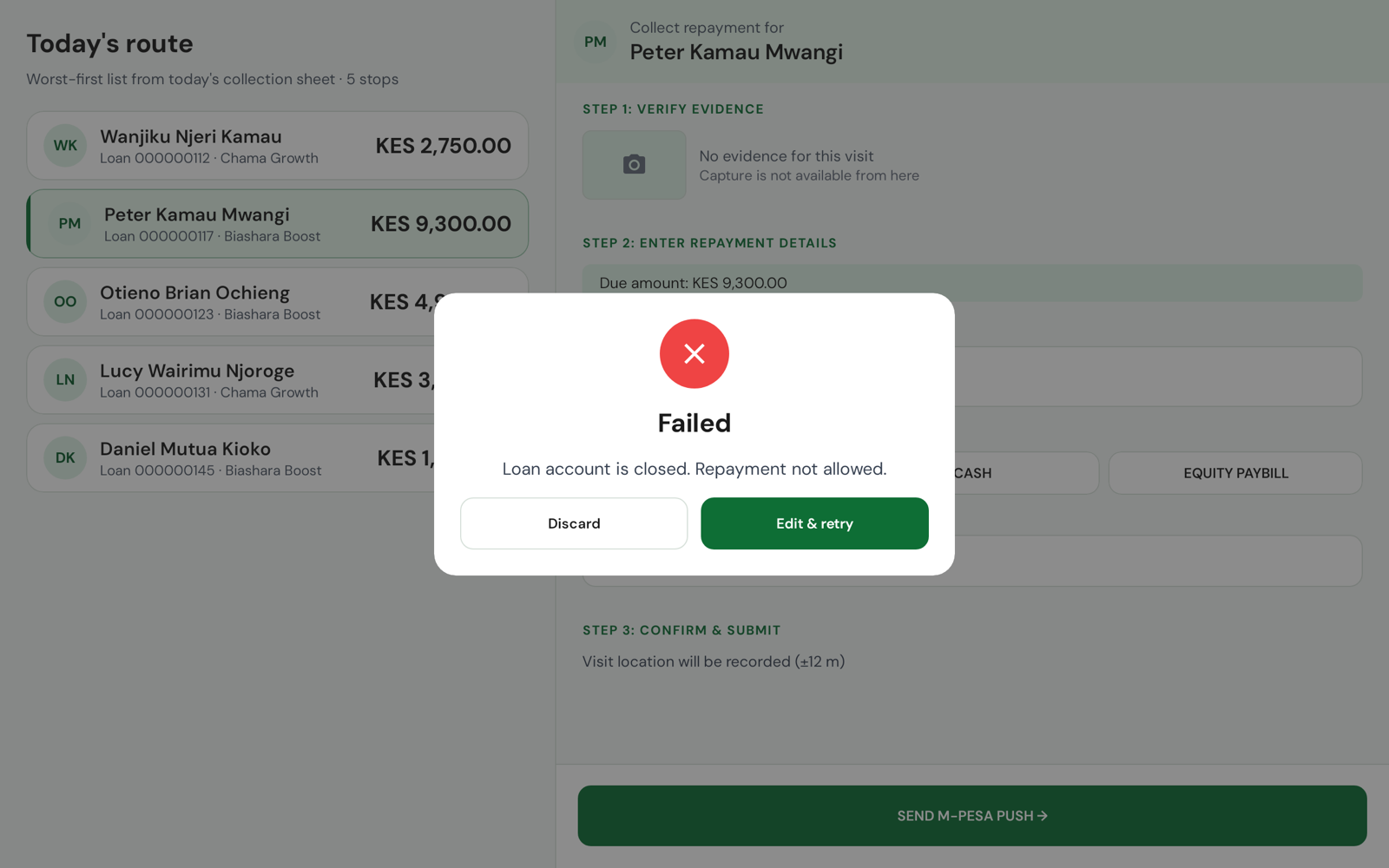
The server's own words. Edit & retry, or Discard by typing the amount back.
When the connection drops mid-send and the server will not say whether the money arrived, the tablet does not guess: it names the reference to look for on the account and asks the branch before anything is sent again. Rendered from the app's screenshot tests.


Home. The officer's day at a glance: fourteen stops, three M-Pesa pushes still waiting for members to accept, eight quick actions and today's collections.
A whole realistic day on the tablet with no server: a route, two meetings, a morning of payments. Try it before you connect a tenant.
Present, absent or late, a long-press on the member, kept on the tablet with the meeting.
Share a receipt from the success dialog, built from what the ledger read back, not from what was typed.
Where each capture was taken, with its accuracy, or "not recorded" when the tablet could not tell.
Every centre and group with its members, signatories, documents and meeting calendar.
Today's collections against the sheet, from the figures on the tablet, never an estimate.
List and detail side by side on a tablet held either way; the screens are checked at both.
Emerald by default, Savanna for SACCOs that already know it, switched in Settings.
The M-Pesa prompts still waiting for members to accept, counted on Home and one tap away.
Native Android in Kotlin and Jetpack Compose, with an on-device database that every capture is written to first.
Every capture carries one idempotency key, sent three ways. A retry after a dropped connection is checked against the ledger before anything is sent again.
The ledger, with the Sacco custom modules for mobile money and the collection sheet. The tablet reads back what it posted before it says so.
M-Pesa and Airtel collection for the branch. The tablet's STK push goes through the Sacco mobile-money module on the same core.
Sacco Field is designed in the open, on Mifos Fineract: each screen drawn before it is built, each state named, and the questions we have not answered written down beside them. Ask us for the walkthrough.
Ask for the design walkthrough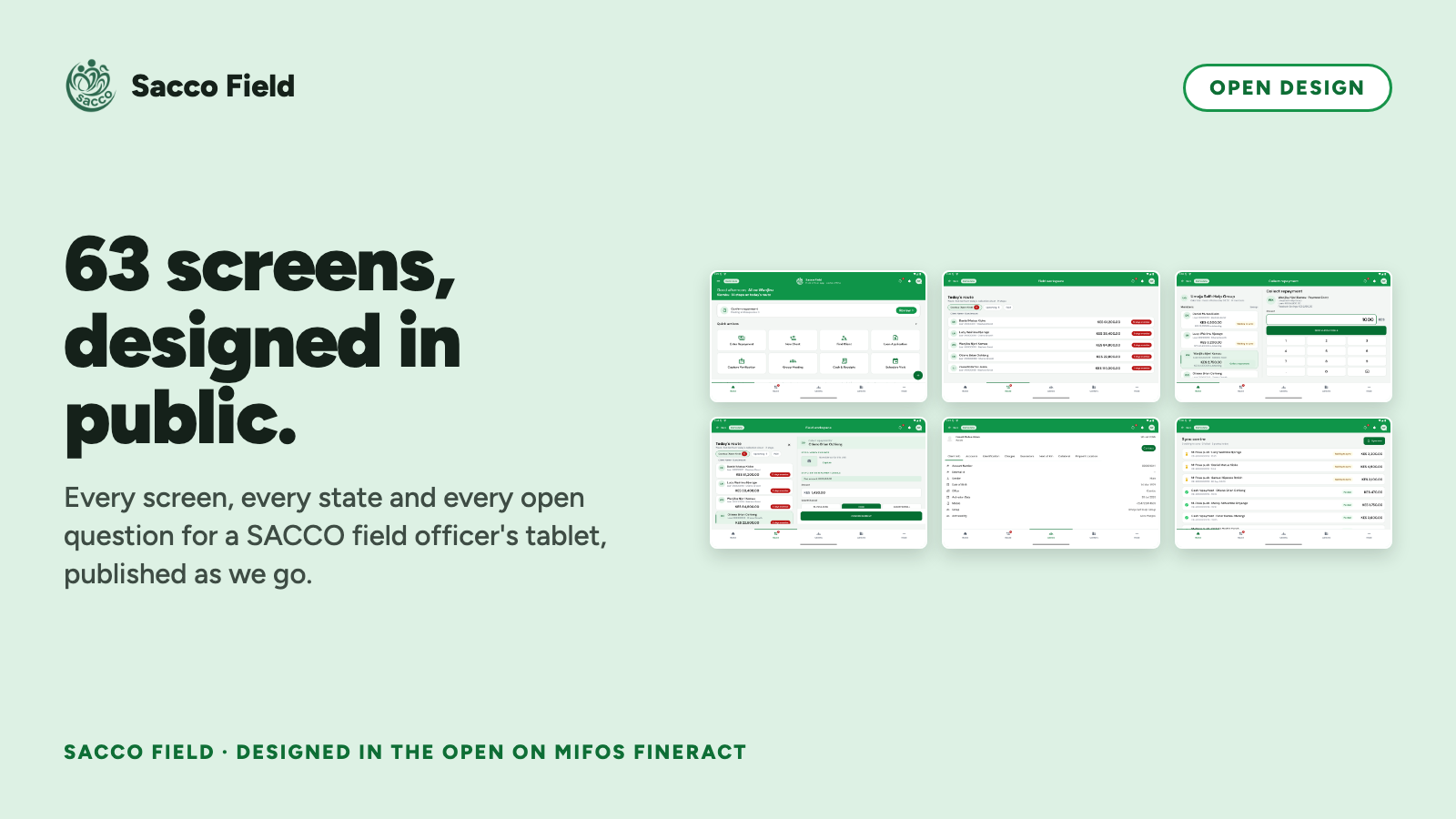
Captures of the app on its demo day.
A walkthrough of the branch software and Sacco Field together, on the demo day or on your own tenant.
Request a demoWe are looking for SACCO field teams to shadow for a day: the route, the meetings, the cash count at the end. Everything the app does comes from days like that.
Message us on WhatsAppRunning Fineract for a SACCO or MFI? Bring a tenant and we bring the tablet. We would rather hear what we have wrong now than after the pilot.
Talk to the team